
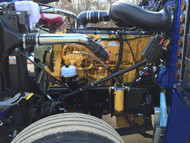
Part 1: Fan Troubleshooting Guide - Caterpillar
Posted by Kustom Truck Parts on 26th Jan 2026
Fan Troubleshooting Guide: Part 1 – Caterpillar Engines
Truck owners and mechanics know that a properly functioning cooling fan is critical for engine health, especially in heavy-duty applications. Whether your fan is stuck on (robbing power and fuel economy) or won't engage when needed (risking overheating), diagnosing the issue systematically saves time and money.
This is the first installment in our three-part Fan Troubleshooting Guide series. Today, we're focusing on Caterpillar engines. Part 2 will cover Cummins, and Part 3 will tackle Detroit. Follow these steps in order—they build on each other for accurate diagnosis.
1. Verify the Fan Solenoid Type
Always start here: Confirm the correct fan solenoid configuration. The key is understanding whether your fan clutch requires air pressure to engage/lock up the fan hub or air pressure to release/disengage it.
- Air to engage/lock-up: Requires a normally OPEN fan solenoid.
- Air to release: Requires a normally CLOSED fan solenoid.
Note: This is the only factor determining the proper solenoid—regardless of current fan behavior.
If the solenoid is incorrect:
- Some models allow re-plumbing by swapping the air supply line and exhaust port to reverse the state.
- Others cannot be re-plumbed and require full replacement with the correct solenoid. At Kustom Truck Parts, we stock both normally open and normally closed fan solenoids to get you back on the road quickly. Shop our selection of fan solenoids here.
Once confirmed correct, proceed to Step 2.
2. Check Fan Solenoid Electrical Connections
Next, inspect the electrical side. Caterpillar controls the fan with a +12-volt supply signal from the ECM:
- ECM sends +12V to the solenoid → Fan OFF (disengaged)
- ECM removes +12V → Fan ON (engaged)
Use a multimeter on the two leads at the solenoid:
- One lead should have constant solid ground.
- The other lead will show power (or not) based on ECM command.
Important: This logic holds only if Step 1 solenoid type is correct.
- No ground on one lead? Trace it and connect to a solid chassis ground.
- Ground good, but no power? Check continuity on the power lead to the ECM output pin:
- CAT 40-pin ECM: Pin #28
- CAT 70-pin (ADEM2000-3): Pin #11
- CAT 70-pin (ADEM4): Pin #21
- No continuity? Trace and repair the wiring.
- Good continuity and ground? Proceed to Step 3.
3. Verify ECM Input Status
Now confirm the four inputs that dictate fan operation. You'll need diagnostic software (Cat ET, ProLink, etc.) to monitor live status.
Connect and navigate to the status/parameters screen. Monitor:
- Cooling fan output
- Four control inputs: Coolant temperature, Intake/manifold temperature, A/C high pressure switch, Fan override switch
Check the three common inputs first:
- Coolant Temperature → Triggers fan ON above 200°F. Verify reading is accurate and below threshold. Fix sensor or wiring if inaccurate.
- Intake/Manifold Temperature → Triggers fan ON above 110°F. Verify accuracy.
Tip: After shutdown, heat soak can cause high readings. Briefly run the engine to purge hot air for a true value. - A/C High Pressure Switch → Normally CLOSED circuit (constant ground = no fan needed). Opens at high pressure → removes ground → signals fan ON.
Test: Unplug/replug the switch while watching ECM status—it should toggle. Confirm one connector lead has solid ground. Simulate closed circuit by jumping the two pins.
Fan Override Switch (Manual Fan Switch):
- Caterpillar 40-pin ECM: No direct input. Override typically uses an in-line relay on the ECM signal wire (from Pin #28). Test wiring and relay functionality as described earlier.
- Caterpillar 70-pin ECM: Direct input (analog or via J1939). Toggle switch while monitoring status—it should change. Verify programming and circuit if needed.
All inputs correct? Proceed to Step 4.
4. Confirm ECM Output Status
Final check: With all inputs below thresholds and correct (Coolant <200°F, Intake <110°F, A/C switch OFF, Override OFF), the ECM should command fan OFF.
In Cat ET:
- Two parameters show opposite states (output pin vs. cooling fan status).
- 40-pin (ADEM2): J1:P1-28
- 70-pin (ADEM2000-3): J1:P1-11
- 70-pin (ADEM4): J1:P1-21
Output ON → Fan OFF (and vice versa).
- Matches expected? System working correctly.
- Doesn't match? Re-trace from Step 1. Persistent issues may require a test ECM.
Following this guide methodically resolves most Caterpillar fan issues. Stay tuned for Part 2 on Cummins engines!
Happy wrenching!
—The Kustom Truck Parts Team
Ready to Repower Your Truck? Call Now: 1-888-564-8890
Mon–Fri 7AM–4PM PST | Speak with a repower specialist